ASO course · lesson 38 of 60
App Store product page optimization: plan an A/B test
Translate an approved creative hypothesis into a checked native iOS experiment setup.
By Gabriel Machuret · Editorial methodology
Before you start: Approved control/treatment assets, a decision rule and suitable App Store Connect access.
Module 7: Experiment design and interpretation
Plan about 50 minutes for reading, practice and review
You will produce: An iOS native-experiment setup record with eligibility and operational checks.
Understand the decision
Confirm the design is supported
Apple’s product page optimization guidance describes tests of icons, screenshots and previews on eligible product pages. It is a distinct workflow from custom product pages. Check current app status, roles, asset requirements and localization support before scheduling production. Avoid promising that an arbitrary metadata field can be tested through the native interface without checking its current capabilities.
Record the actual configuration
In the app’s Product Page Optimization area, prepare the test and treatments using the current console controls. Record the chosen assets, eligible localizations and traffic settings in the experiment brief. Confirm any required review or app-version dependency before starting. The setup record is part of the evidence: a hypothesis written for one population cannot justify a result collected from another.
Monitor operations without rewriting the plan
Check that the intended treatments run and that no incorrect assets or major release conflicts invalidate the comparison. Follow the platform’s results guidance and preserve the actual test dates. Apple’s result analysis uses platform-specific statistical methods; do not replace its interpretation with a generic calculator using incompatible assumptions. Record any interruption and its consequence for the conclusion.
Apply the method in practice
Verify that the proposed change is testable
Apple product page optimization supports specific product-page assets, not every metadata field. Confirm current eligibility, app status, permissions and supported treatment elements before creating the brief. Do not promise a randomized name or subtitle test through a tool intended for other assets. Custom product pages and product page optimization serve different purposes; a page comparison is not automatically a PPO experiment. Match the business question to the actual capability rather than forcing the desired conclusion into an unsuitable tool.
Freeze treatment and configuration together
Record control assets, treatment assets, selected localizations, traffic allocation and launch conditions. Coordinate icon-related requirements with engineering when applicable. Inspect the actual console setup before starting. If the treatment contains a coordinated package, state that the result will concern the package. Keep a dated capture of configuration and the exact asset IDs. A result cannot be reproduced or interpreted properly if the team only remembers which design looked approximately like the treatment.
Read results using Apple's method
Apple documents its own result interpretation, including Bayesian analysis. Use the native guidance for the displayed measures and uncertainty; do not substitute a simple independent-proportions calculator and claim it reproduces the console. Record experiment duration, relevant changes and the final result state. If evidence is inconclusive, retain that conclusion. Before applying a treatment, verify that it remains accurate for the current app and relevant to the locales where it will be used.
Platform references for this work: Apple — Product page optimization overview · Apple — Product page optimization results
Your step-by-step procedure
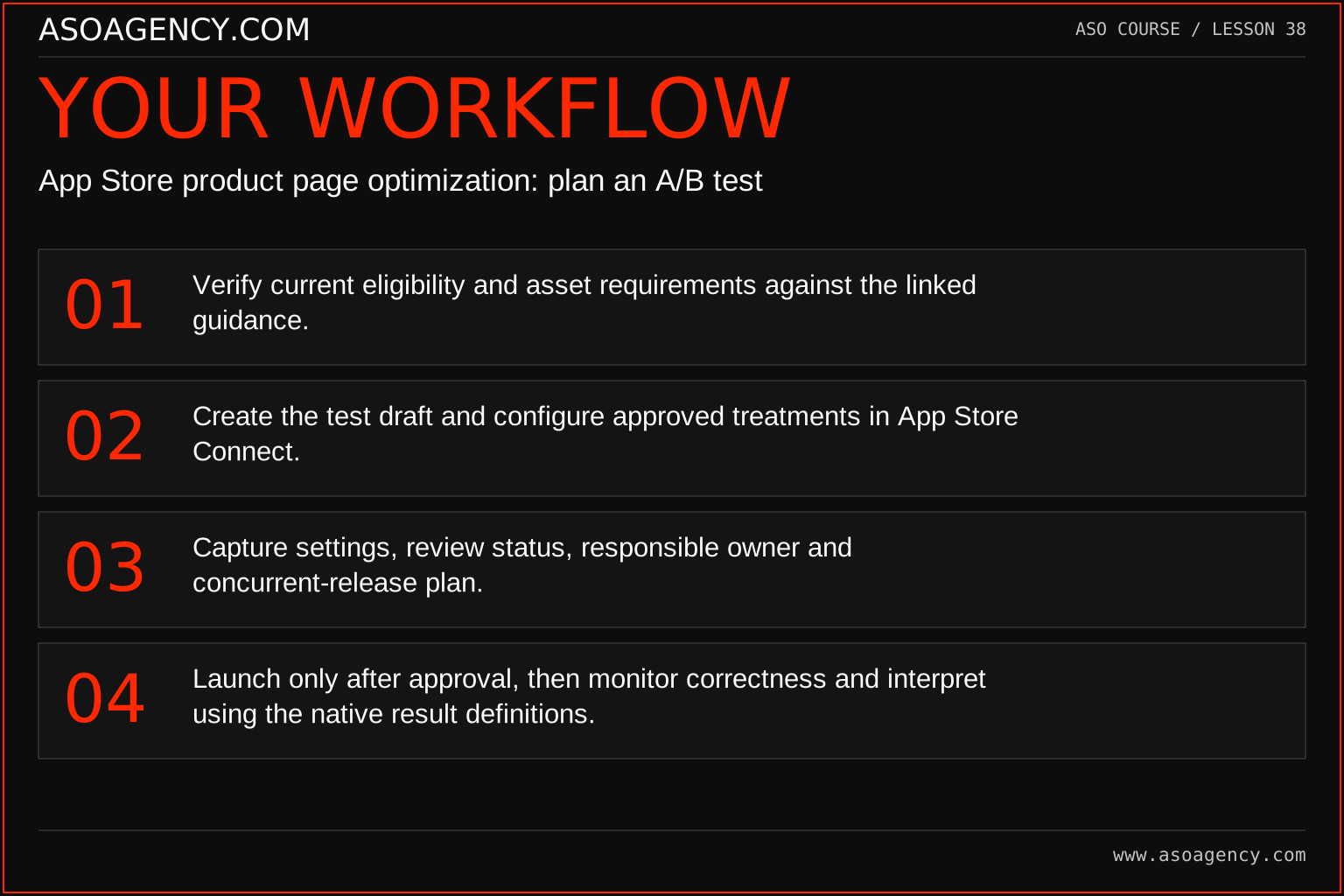
- Verify current eligibility and asset requirements against the linked guidance.
- Create the test draft and configure approved treatments in App Store Connect.
- Capture settings, review status, responsible owner and concurrent-release plan.
- Launch only after approval, then monitor correctness and interpret using the native result definitions.
Worked example and interpretation
Trail Notes and numerical research scenarios are fictional teaching examples. Platform limits, where shown, come from the linked official references.
Trail Notes prepares a screenshot concept test for one reviewed localization. A scheduled app release also changes a screen shown in the treatment. The team resolves that dependency before launch instead of testing an obsolete image. If the release must proceed during the experiment, the analyst documents the change and reassesses interpretability rather than treating the original plan as unchanged.
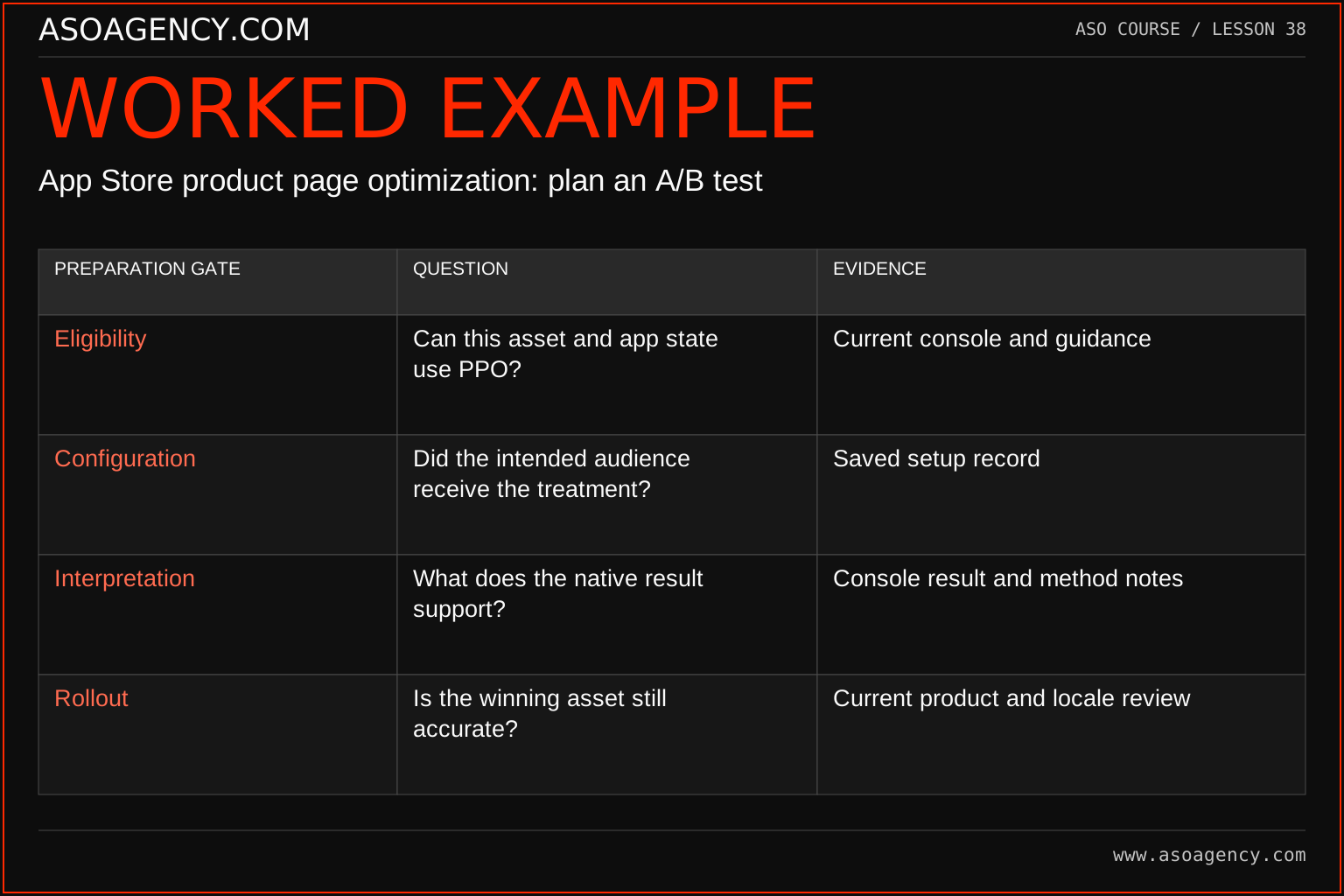
| Preparation gate | Question | Evidence |
|---|---|---|
| Eligibility | Can this asset and app state use PPO? | Current console and guidance |
| Configuration | Did the intended audience receive the treatment? | Saved setup record |
| Interpretation | What does the native result support? | Console result and method notes |
| Rollout | Is the winning asset still accurate? | Current product and locale review |
A favorable result is only useful if the correct treatment actually ran and the measurement is understood. The gates separate setup validity from statistical interpretation and from rollout readiness. A product release during the experiment may require contextual explanation even if the console returns a result. Do not conceal that context in order to present a simpler success story.
Build a handover someone can use
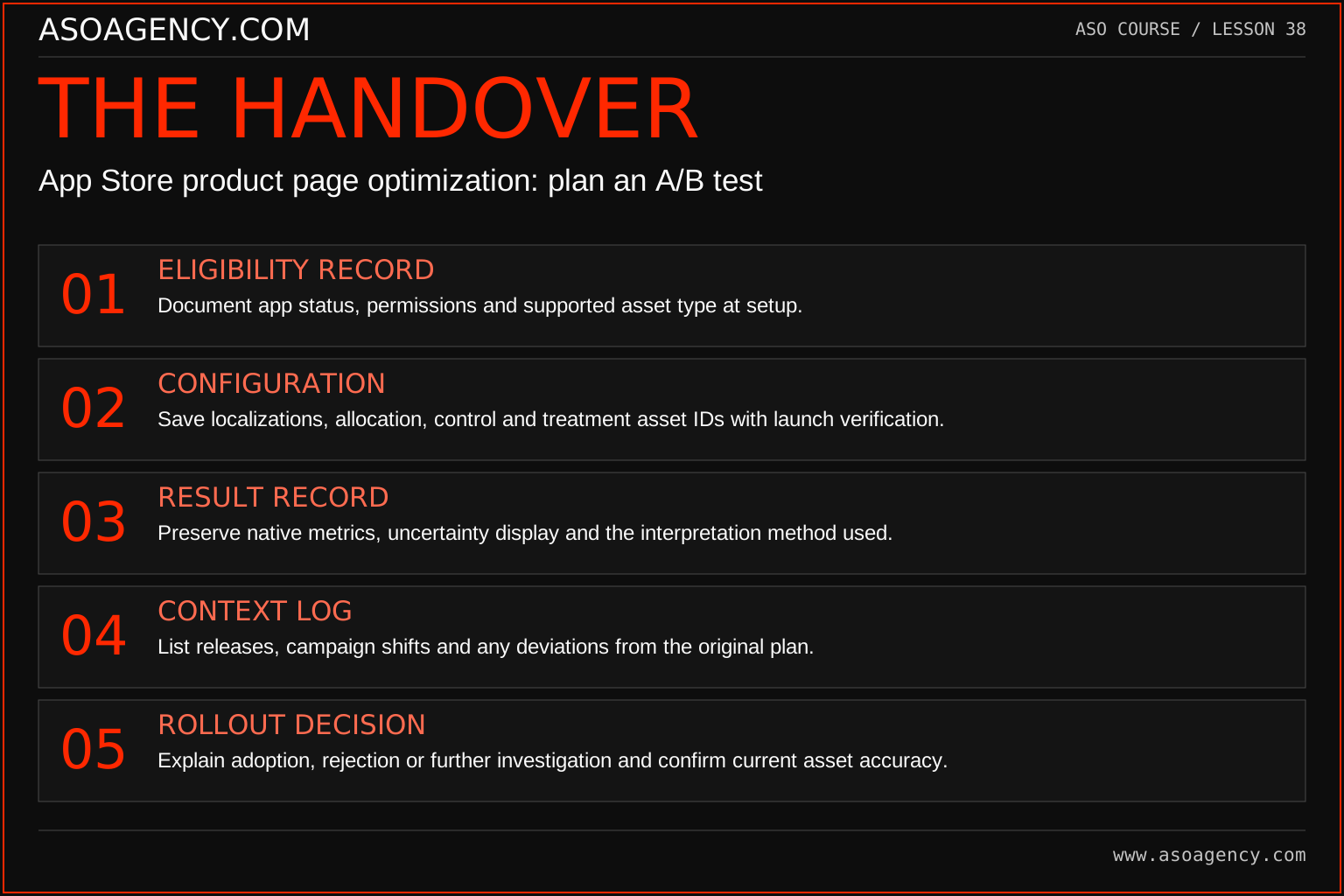
Eligibility record
Document app status, permissions and supported asset type at setup.
Configuration
Save localizations, allocation, control and treatment asset IDs with launch verification.
Result record
Preserve native metrics, uncertainty display and the interpretation method used.
Context log
List releases, campaign shifts and any deviations from the original plan.
Rollout decision
Explain adoption, rejection or further investigation and confirm current asset accuracy.
Your ASO assignment
Use your own app and evidence, or work through the teaching case. Keep your observations separate from assumptions and explain the reasoning behind your decisions.
- Write a console setup checklist without needing to launch a live test.
- Attach treatment identifiers and localization decisions.
- Describe how an app release would affect your experiment plan.
Scenario challenge
A stakeholder wants to test two subtitles using PPO. Explain the capability mismatch and propose a research approach that does not mislabel an observational metadata change as a randomized PPO test.
Assess your work
- The treatment type is supported by the current native workflow.
- Assets and settings match the written hypothesis.
- Release conflicts and interruptions are documented.
Common mistakes to catch
- Calling a custom-page comparison a product page optimization test.
- Using an incompatible significance formula to overrule the native report.
Knowledge check
A product release changes the screen shown in a running treatment. What should happen?
Read the answer and reasoning
Check whether the treatment remains accurate and whether the release affects the measured experience. Correct or stop an invalid setup as appropriate, preserve the timeline and qualify the conclusion. Do not hide the interruption merely to keep the test report looking clean.
Sources and further reading
Platform references reviewed 29 September 2026. These sources support platform capabilities and constraints; the teaching frameworks, assignments and illustrative cases are original course material.
- Apple — Product page optimization overview — Supported experiment assets, eligibility and setup.
- Apple — Product page optimization results — Native result interpretation and Bayesian analysis.
Your ASO lesson notes
Use this space for your assignment, evidence and handover. Select Save to keep a draft in this browser, or download a copy to take with you.
Notes stay on this device and are not submitted to ASO Agency.
Complete your assignment with the ASO experiment planner.
Loading your progress…
Progress is saved only in this browser. It does not sync across devices. Mark a lesson complete after doing its exercise.