ASO course · lesson 6 of 60
How to conduct an evidence-led ASO audit
Produce a prioritized audit that distinguishes corrections, hypotheses and unanswered questions.
By Gabriel Machuret · Editorial methodology
Before you start: The scope, audience brief, evidence register and metric dictionary from this module.
Module 1: Foundations and diagnosis
Plan about 50 minutes for reading, practice and review
You will produce: Module project: a scoped audit with evidence, classification, priorities, owners and validation steps.
Understand the decision
Audit the promise and the experience
Capture the current listing in the chosen locale, then compare its claims with the released app where access permits. Review text, imagery, availability, pricing context and the first-use path. An obsolete screenshot is an accuracy issue; an unfamiliar benefit may be a messaging hypothesis. Both matter, but the action and validation differ. An audit must preserve that distinction.
Classify findings before scoring them
Use three categories: correction, hypothesis and unknown. Corrections have direct evidence of an error. Hypotheses predict how a change might affect behavior. Unknowns require evidence collection. Avoid combining these into a universal score that treats missing private metrics as a failed listing. Explain the consequence of each finding and identify the evidence supporting its priority.
Turn the report into an owned backlog
A professional audit ends in decisions. Each priority needs an owner, dependency, expected learning and verification step. Separate urgent accuracy work from experiments whose outcomes are uncertain. Estimate effort in useful categories such as copy-only, design-dependent or release-dependent, then choose a small first batch. A long catalog with no implementation sequence is not a usable handover.
Apply the method in practice
Inspect a real user path, not a checklist in isolation
Begin with the target market's listing and a specific use case from the audience brief. Read the opening text and screenshots as a new visitor would, then attempt the promised action in the released app. Record the app version and any unavailable access. Compare offers, feature names and visual states. A screenshot may be technically valid yet depict a retired workflow. Conversely, an unconventional design is not automatically defective. Your job is to establish accuracy and identify decision-relevant uncertainty, not grade the app against personal aesthetic preferences.
Write findings that survive handover
Use observation, evidence, consequence and action. “Screenshots are weak” has none of these. “The first screenshot shows unlimited journals; the current free account stops after its allowance” identifies a verifiable mismatch. Attach the listing capture and product observation. State that this can create a false expectation, then request a corrected offer statement reviewed by the product owner. For a hypothesis, make the prediction explicit and explain how you would investigate it. For an unknown, ask a concrete question with a source and owner rather than assigning a low score.
Choose a sequence that preserves learning
Correct verified inaccuracies and broken journeys before running a message experiment on top of them. Establish the post-correction baseline and log the date. For remaining opportunities, consider affected audience, evidence strength, effort and dependencies. A change that needs a product release may start now but ship after a smaller copy correction. A limited first batch makes ownership clear and prevents every idea being labeled urgent. In the review meeting, ask for decisions on priorities and unresolved evidence, not applause for the number of pages in the audit.
Platform references for this work: Apple — Creating your product page · Google Play — Metadata policy
Your step-by-step procedure
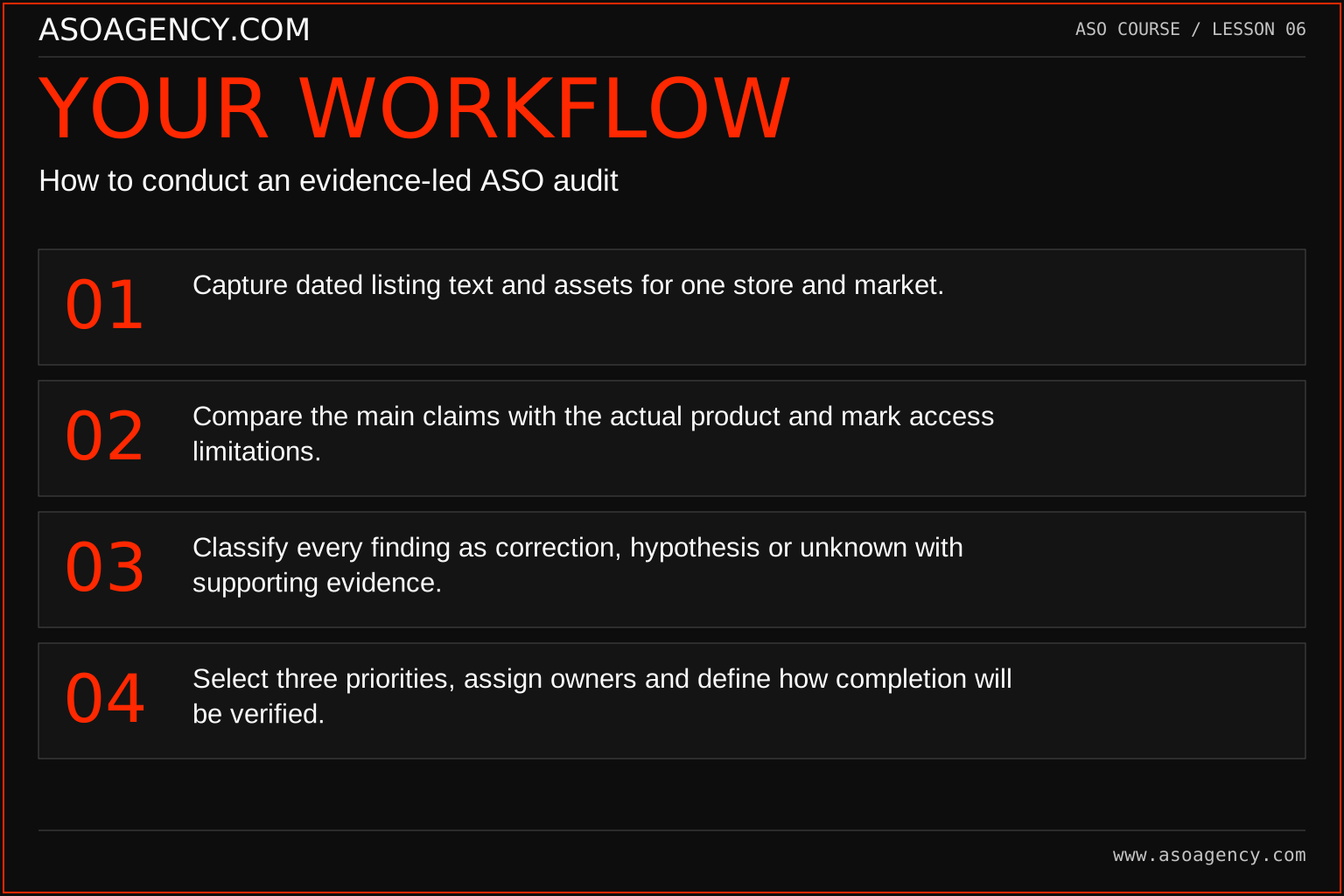
- Capture dated listing text and assets for one store and market.
- Compare the main claims with the actual product and mark access limitations.
- Classify every finding as correction, hypothesis or unknown with supporting evidence.
- Select three priorities, assign owners and define how completion will be verified.
Worked example and interpretation
Trail Notes and numerical research scenarios are fictional teaching examples. Platform limits, where shown, come from the linked official references.
Trail Notes displays an unlimited-free screenshot although the current product limits free entries. That is an accuracy correction. Its opening image emphasizes a map rather than a journal; whether this attracts the wrong visitors is a hypothesis. Private conversion by source is unavailable, which is an unknown. The first batch corrects the offer, requests the missing report and briefs a journal-focused concept. It does not launch all changes under one claimed conversion experiment.
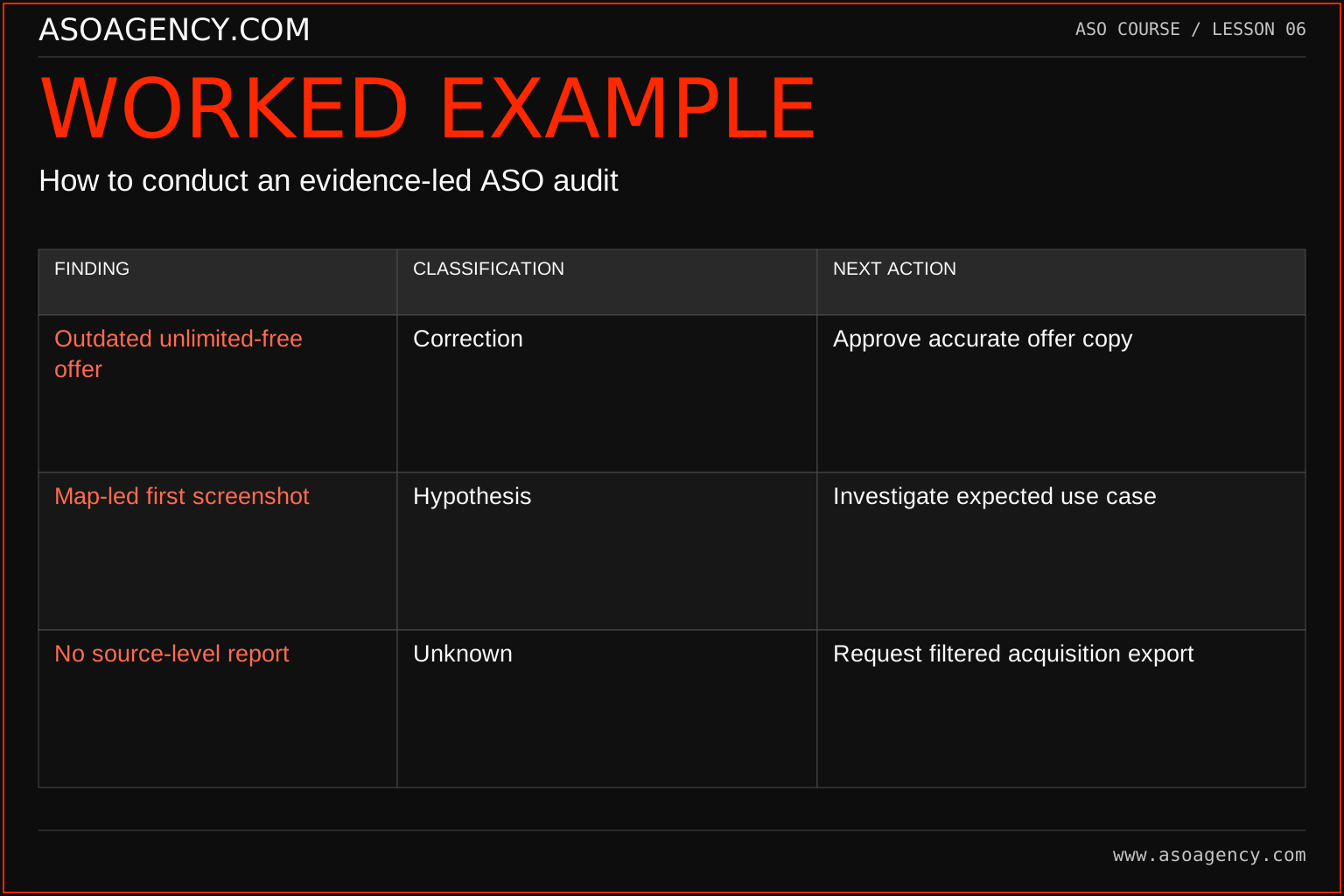
| Finding | Classification | Next action |
|---|---|---|
| Outdated unlimited-free offer | Correction | Approve accurate offer copy |
| Map-led first screenshot | Hypothesis | Investigate expected use case |
| No source-level report | Unknown | Request filtered acquisition export |
These findings belong in one audit but have different acceptance conditions. The correction is complete when approved accurate copy is verified in the storefront. The hypothesis is investigated through message research or an appropriate experiment; its outcome is uncertain. The unknown is resolved when the requested evidence arrives and can be interpreted. Treating all three as “conversion fixes” would obscure what the team actually learned and could wrongly credit the design variant for an offer correction.
Build a handover someone can use
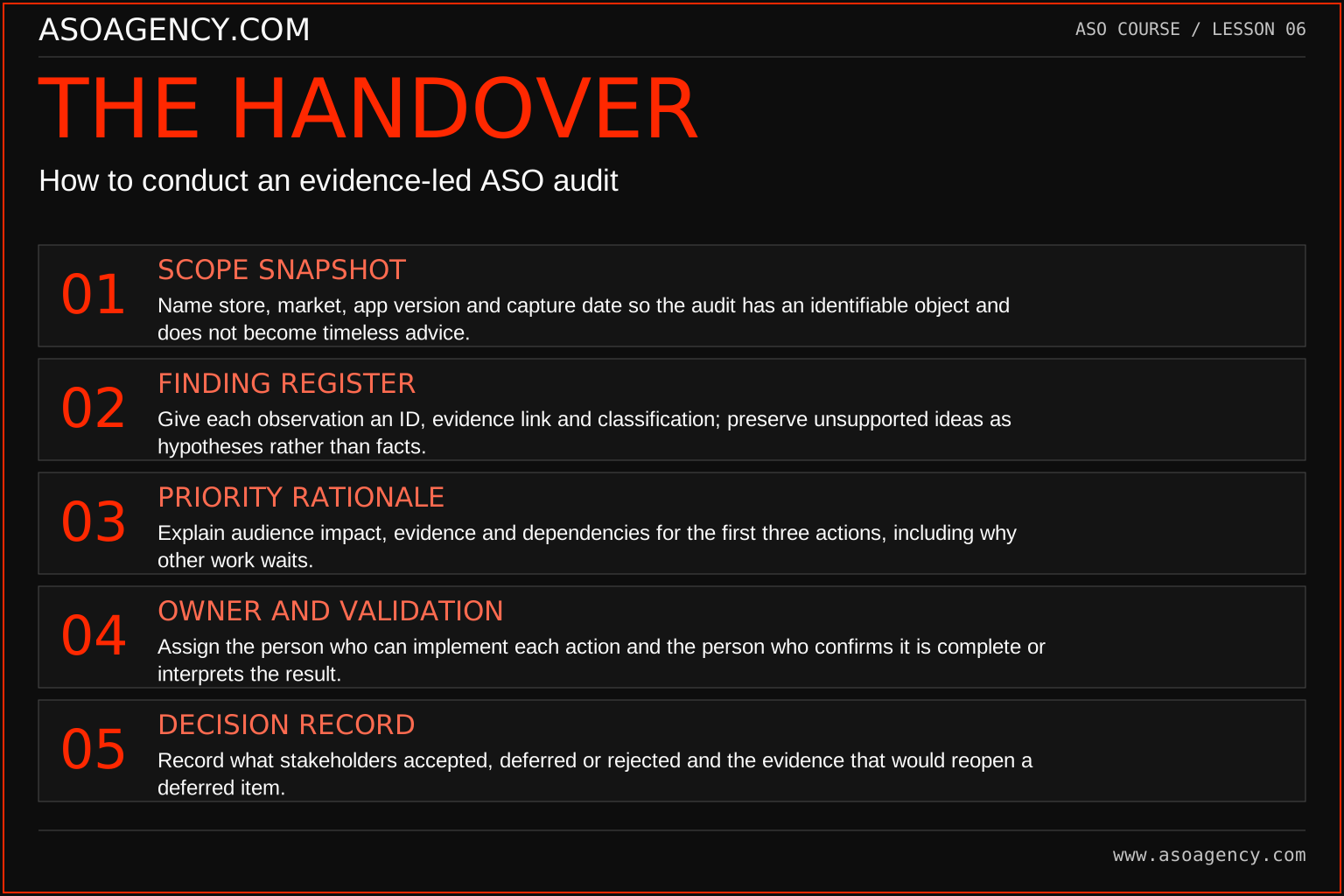
Scope snapshot
Name store, market, app version and capture date so the audit has an identifiable object and does not become timeless advice.
Finding register
Give each observation an ID, evidence link and classification; preserve unsupported ideas as hypotheses rather than facts.
Priority rationale
Explain audience impact, evidence and dependencies for the first three actions, including why other work waits.
Owner and validation
Assign the person who can implement each action and the person who confirms it is complete or interprets the result.
Decision record
Record what stakeholders accepted, deferred or rejected and the evidence that would reopen a deferred item.
Your ASO assignment
Use your own app and evidence, or work through the teaching case. Keep your observations separate from assumptions and explain the reasoning behind your decisions.
- Complete the audit tool and export the worksheet.
- Write a correction, a hypothesis and an unknown for your app.
- Present the top three actions as a five-minute decision brief.
Scenario challenge
Present the three-row example in five minutes. Ask for approval to correct the offer, access to the missing report and ownership of the message investigation. Do not promise that completing all three will produce a specific ranking or conversion gain.
Assess your work
- A reviewer can trace each finding to an observation.
- Accuracy corrections are not presented as optional misleading-copy tests.
- The first batch is feasible with the available approvals and resources.
Common mistakes to catch
- Filling a report with generic best practices that do not apply to the app.
- Assigning high confidence to a finding because its chart looks polished.
Knowledge check
Which should ship first: a misleading price claim or an unproven screenshot variant?
Read the answer and reasoning
Correct the misleading claim through the normal approval process and log the publication. Then reassess the experiment baseline, because the correction may affect behavior. A conversion hypothesis should not delay a necessary accuracy fix, and its result should not absorb credit for that fix.
Sources and further reading
Platform references reviewed 29 September 2026. These sources support platform capabilities and constraints; the teaching frameworks, assignments and illustrative cases are original course material.
- Apple — Creating your product page — Product-page fields and presentation guidance.
- Google Play — Metadata policy — Accurate, relevant metadata and prohibited presentation.
Your ASO lesson notes
Use this space for your assignment, evidence and handover. Select Save to keep a draft in this browser, or download a copy to take with you.
Notes stay on this device and are not submitted to ASO Agency.
Complete your assignment with the Interactive ASO audit checklist.
Loading your progress…
Progress is saved only in this browser. It does not sync across devices. Mark a lesson complete after doing its exercise.