ASO course · lesson 23 of 60
App Store custom product pages: strategy and setup
Create a targeted-page brief with routing, evidence and a measurement plan.
By Gabriel Machuret · Editorial methodology
Before you start: A supported secondary use case and a source of identifiable audience intent.
Module 4: Apple App Store execution
Plan about 50 minutes for reading, practice and review
You will produce: A custom-page specification containing purpose, routing, creative differences, measurement and maintenance.
Understand the decision
Begin with message continuity
A custom experience is useful when the incoming promise is specific enough to deserve a different emphasis. Document the visitor’s likely job, the source that brings them and what they should see next. Do not create pages merely to multiply assets. Every variant adds maintenance and measurement work, and should remain consistent with the same released product.
Verify current routing capabilities
Apple custom product pages can use distinct screenshots, previews, promotional text and keywords. Current guidance also supports eligible keyword assignments from the latest approved version, so these pages are not limited to external campaign links. Approval and visibility settings matter. Verify the intended setup in App Store Connect instead of relying on an old tutorial that assumes a different feature set.
Separate targeting from experimentation
A targeted page and the default page may receive different audiences. A higher conversion rate on one does not, by itself, prove that its creative is better. Record routing rules and source mix, and choose an appropriate comparison method. Apple’s product page optimization workflow is distinct from custom pages; do not describe an unrandomized page comparison as a native randomized test.
Apply the method in practice
Choose an audience with a distinct message need
A custom page should serve a specific supported use case, campaign or intent, not exist merely because the platform permits many pages. Define who arrives, what they expect and which proof matters most. A page for photo memories can foreground the journal result; a page for route planning would be inappropriate for Trail Notes. Keep the main product truth consistent while changing emphasis. Record why the default page is insufficient for this audience and what you expect to learn from the targeted version.
Plan routing and eligibility explicitly
Apple's current guidance permits up to 70 custom product pages and supports relevant search visibility through assigned keywords as well as unique URLs. Do not teach the outdated assumption that these pages are only reachable from external campaigns. Check the current console configuration, approved keyword eligibility and page status before planning routing. If using a deep link, verify the supported OS behavior and destination. A link that opens the wrong screen can break the promise even when the page itself looks correct.
Interpret page comparisons with audience context
Different pages often receive different audiences. A higher observed rate on a campaign-specific page does not establish that its creative would improve the default page for everyone. Record traffic source, targeting, locale and dates with the page result. If the decision requires a causal creative comparison, use an appropriate experimental design rather than treating arbitrary page differences as randomized evidence. Maintain ownership and expiry for each page so discontinued offers or features do not remain active through old campaign links.
Platform references for this work: Apple — Configure custom product pages · Apple — Product page optimization overview
Your step-by-step procedure
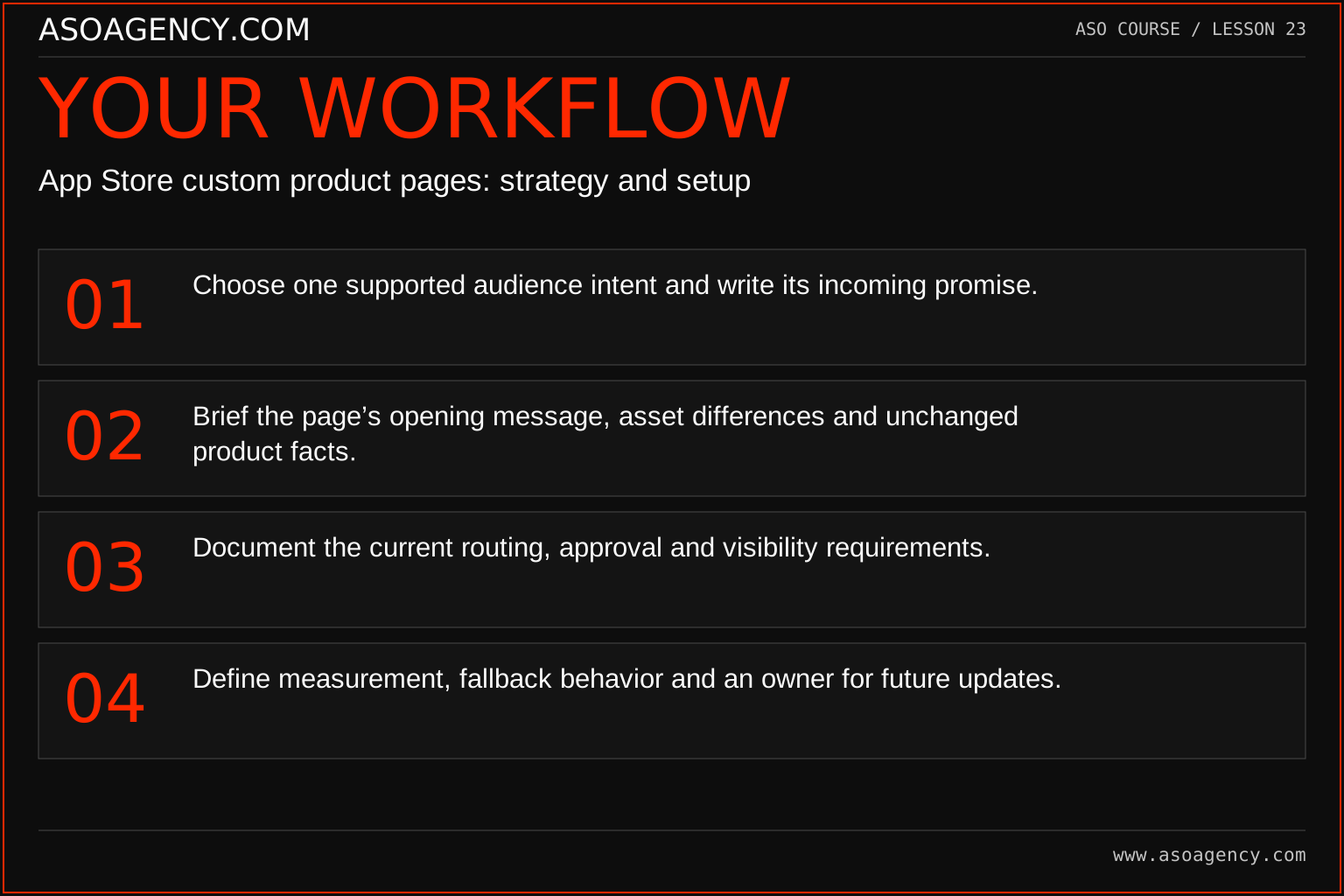
- Choose one supported audience intent and write its incoming promise.
- Brief the page’s opening message, asset differences and unchanged product facts.
- Document the current routing, approval and visibility requirements.
- Define measurement, fallback behavior and an owner for future updates.
Worked example and interpretation
Trail Notes and numerical research scenarios are fictional teaching examples. Platform limits, where shown, come from the linked official references.
Trail Notes plans a page for people saving a multi-day walking trip. The opening imagery emphasizes organizing a sequence of memories while retaining the same product and offer. A campaign points to the reviewed page. The team records the campaign audience and does not compare its raw conversion rate with all default-page traffic as if the populations had been randomized.
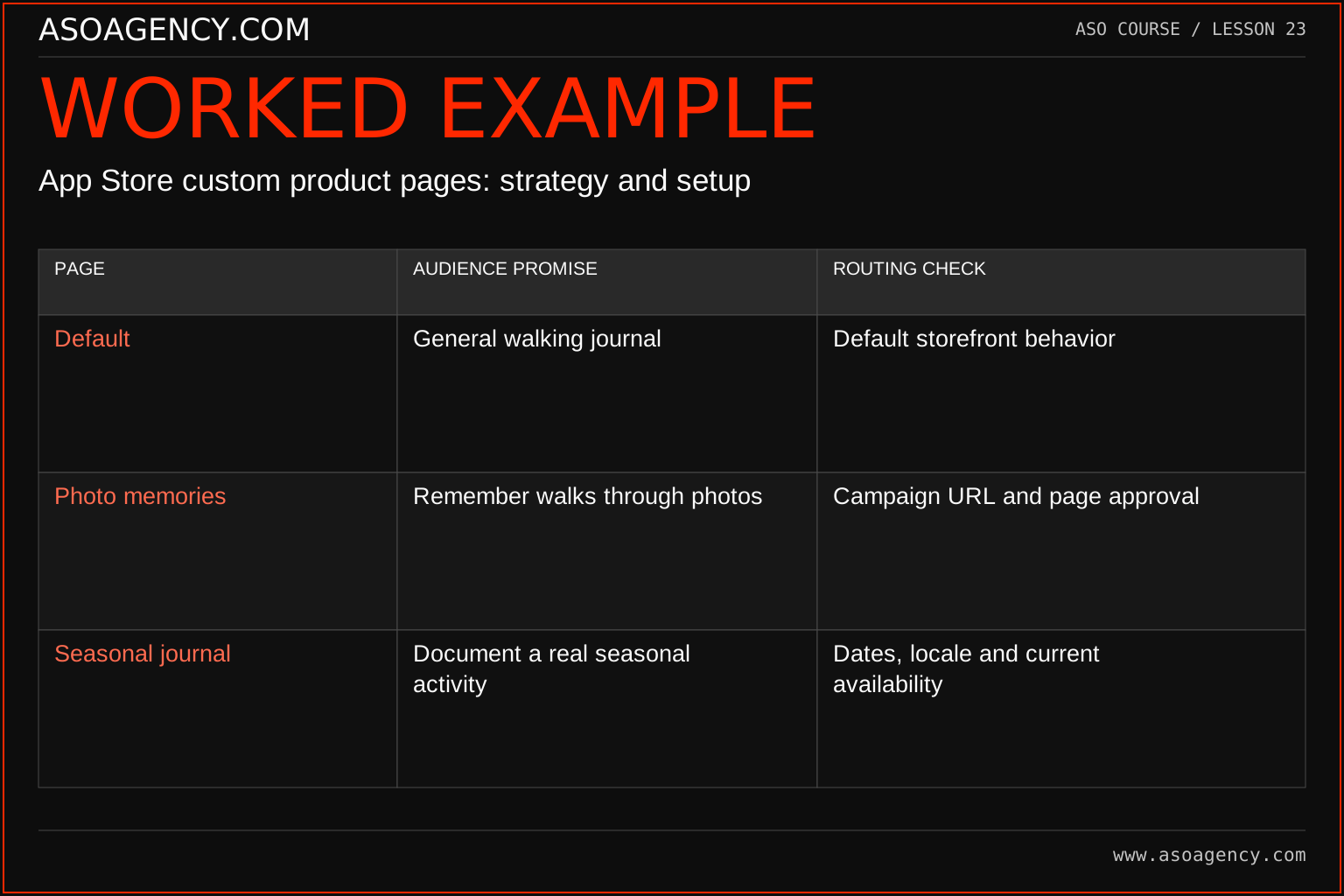
| Page | Audience promise | Routing check |
|---|---|---|
| Default | General walking journal | Default storefront behavior |
| Photo memories | Remember walks through photos | Campaign URL and page approval |
| Seasonal journal | Document a real seasonal activity | Dates, locale and current availability |
The pages differ in emphasis while describing the same released product. Their performance can help understand those routed audiences, but a raw conversion comparison mixes page and audience effects. Keep the campaign targeting and page version in the same record. Before activation, test the actual link and any deep-link destination on the relevant device and account state. The release is not complete when the designer exports the images.
Build a handover someone can use
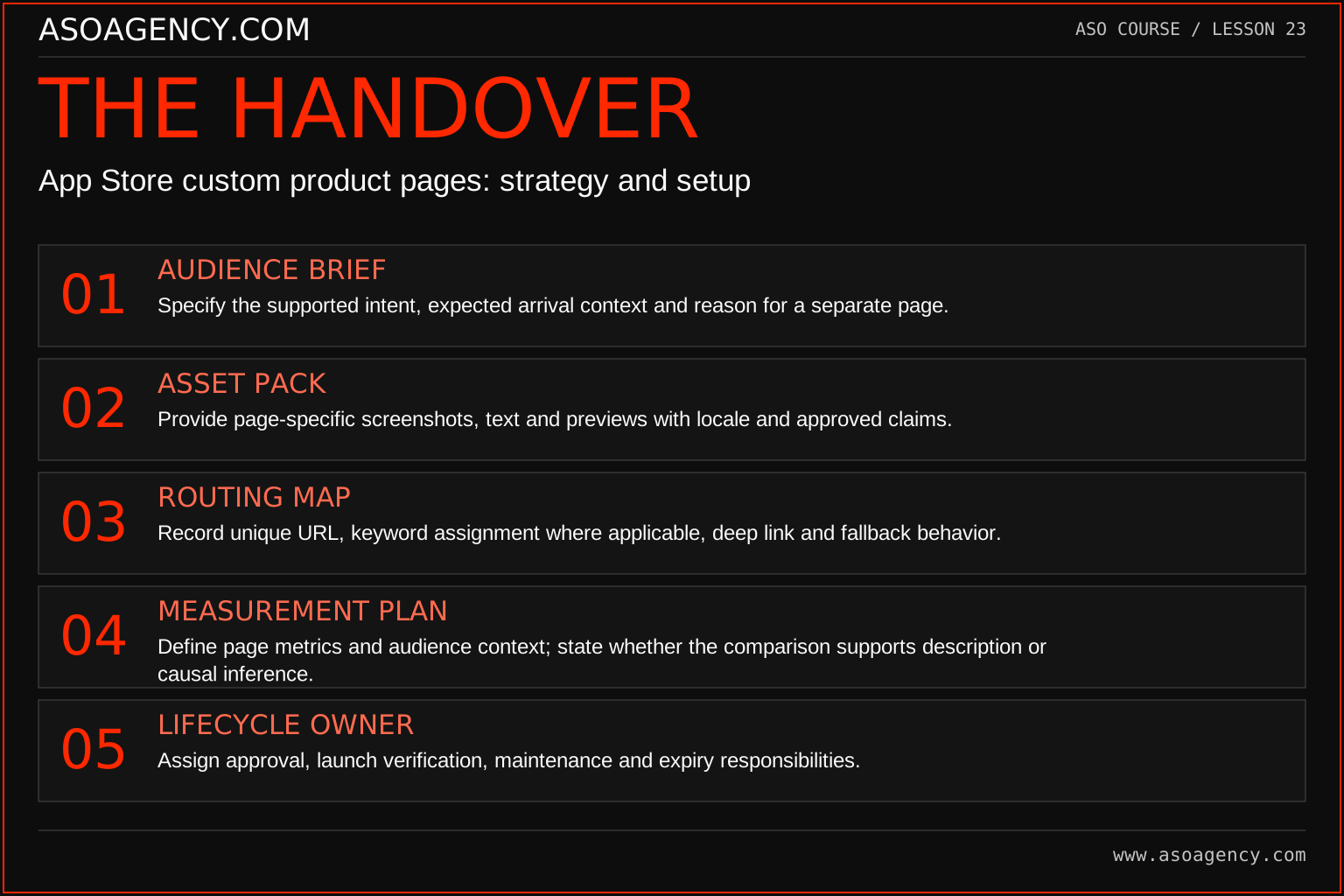
Audience brief
Specify the supported intent, expected arrival context and reason for a separate page.
Asset pack
Provide page-specific screenshots, text and previews with locale and approved claims.
Routing map
Record unique URL, keyword assignment where applicable, deep link and fallback behavior.
Measurement plan
Define page metrics and audience context; state whether the comparison supports description or causal inference.
Lifecycle owner
Assign approval, launch verification, maintenance and expiry responsibilities.
Your ASO assignment
Use your own app and evidence, or work through the teaching case. Keep your observations separate from assumptions and explain the reasoning behind your decisions.
- Write one custom-page brief with a clear audience and supporting feature.
- Draw the route from source to page to first useful product action.
- Explain how you would evaluate the page without overstating causality.
Scenario challenge
A custom page converts at 8% while the default converts at 4%, but their sources differ. Write a conclusion that reports the observation without claiming the custom design doubled performance for all users.
Assess your work
- The variant serves a distinct supported intent.
- Routing and publication settings are verified before launch.
- The comparison method acknowledges audience-selection differences.
Common mistakes to catch
- Claiming custom pages only work through campaign URLs based on outdated guidance.
- Interpreting different audience conversion rates as a randomized creative result.
Knowledge check
A custom page converts at 30% and the default at 20%. Is the custom creative proven better?
Read the answer and reasoning
No. Audience, source, market and timing may explain the difference. Report the observed rates with their populations and use an appropriate controlled design if you need a causal creative claim. A targeted page may still be operationally useful without that claim.
Sources and further reading
Platform references reviewed 29 September 2026. These sources support platform capabilities and constraints; the teaching frameworks, assignments and illustrative cases are original course material.
- Apple — Configure custom product pages — Page configuration, links, keyword routing and availability.
- Apple — Product page optimization overview — Supported experiment assets, eligibility and setup.
Your ASO lesson notes
Use this space for your assignment, evidence and handover. Select Save to keep a draft in this browser, or download a copy to take with you.
Notes stay on this device and are not submitted to ASO Agency.
Complete your assignment with the ASO experiment planner.
Loading your progress…
Progress is saved only in this browser. It does not sync across devices. Mark a lesson complete after doing its exercise.