ASO course · lesson 45 of 60
App screenshot localization and product consistency
Review the complete localized journey, including visual conventions, UI and first-use expectations.
By Gabriel Machuret · Editorial methodology
Before you start: Reviewed local copy, target-market product access and the source creative pack.
Module 8: Localization and customer feedback
Plan about 50 minutes for reading, practice and review
You will produce: A localized creative QA pack and end-to-end promise checklist.
Understand the decision
Localization extends beyond captions
A translated headline above an English-only interface can create a promise the app does not fulfill. Check the actual product language, examples, units and workflow availability. Where the product is partially localized, decide how to communicate that honestly. Do not imply complete language support solely because the store assets look native.
Adapt layout to meaning
Text expansion, script direction and line breaks can change hierarchy. Review the final render with the language reviewer, not only the translation sheet. A caption that fits may still sound unnatural or put emphasis on the wrong word. Use market-relevant examples where appropriate, but do not invent cultural rules or stereotypes in place of local evidence.
Trace the first-use path
Follow the localized promise from listing to installation, onboarding and first useful action. Record any point where language, availability or payment expectations change. Some issues require product work rather than a new caption. Keep those dependencies visible in the pilot plan so the launch decision reflects the experience users will actually encounter.
Apply the method in practice
Adapt the whole visible promise
Review captions, UI text, sample content, dates, units and cultural context together. Translating a headline above an English-only screen may be acceptable only if the experience is represented clearly and accurately; it should not imply full localization that the app lacks. Check the installed product path for the target audience. A localized listing can create expectations about support, content or payments that extend beyond the screenshot itself. Record those dependencies before design approval.
Design for language rather than squeezing it
Allow natural text length and word order. Reflow the composition when needed instead of shrinking every translated caption until it becomes unreadable. Check scripts, punctuation, line breaks and directionality with a qualified reviewer. Avoid automatic mirroring of a design without understanding which elements should change. Keep product captures current and use appropriate sample content. A visually consistent brand system can still permit different layouts when that is necessary for clear local communication.
Verify the journey after upload
Inspect the actual locale and fallback behavior in the store, then follow the promised task in the product. Record device and account context. Check whether the right screenshots and strings appear together and whether any old offer survives in another asset. Maintain a dependency map from product features to localized assets so later changes trigger the right updates. Localization quality is an ongoing production responsibility, not a one-time export task.
Platform references for this work: Apple — Localize app information · Google Play — Translate and localize your app
Your step-by-step procedure
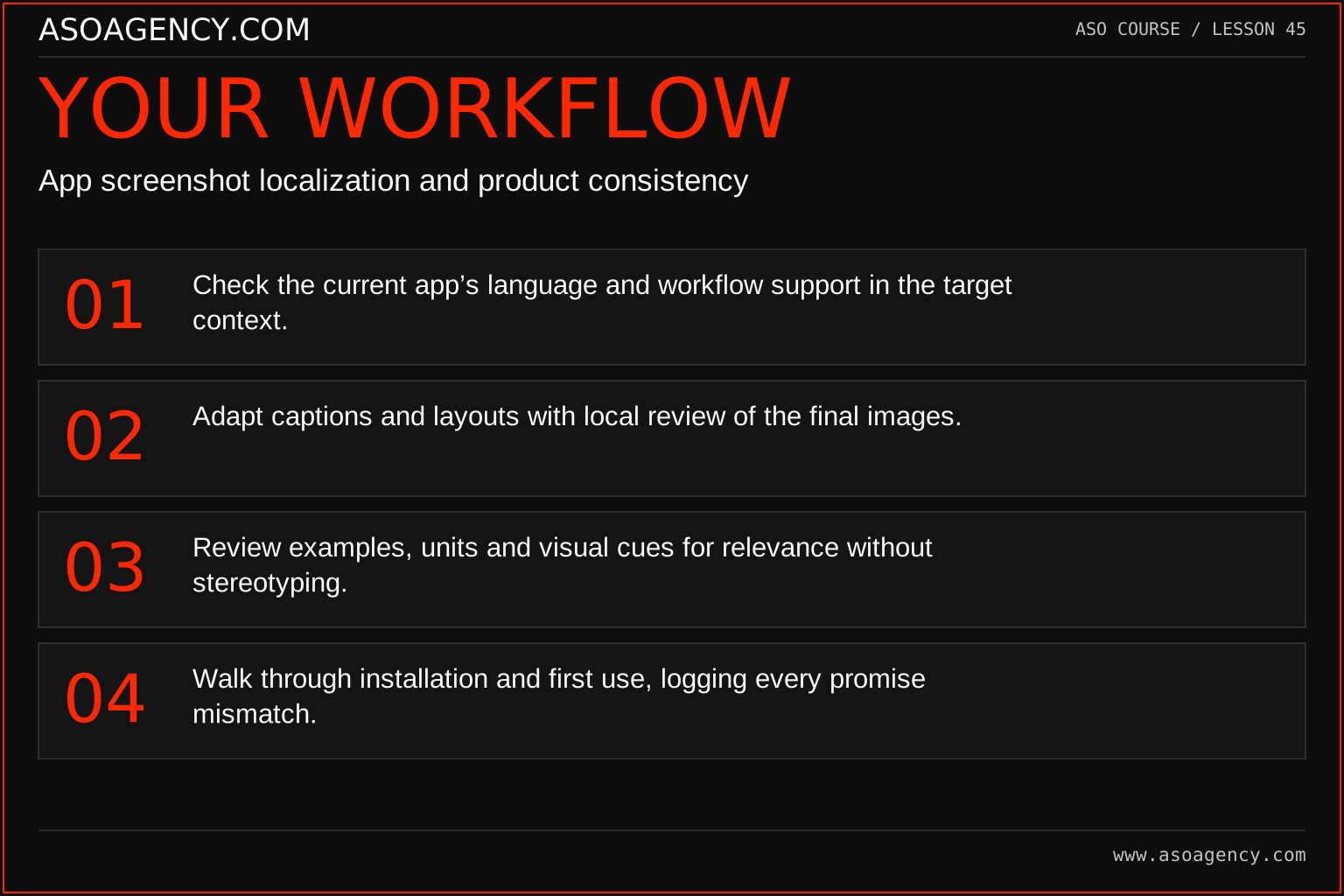
- Check the current app’s language and workflow support in the target context.
- Adapt captions and layouts with local review of the final images.
- Review examples, units and visual cues for relevance without stereotyping.
- Walk through installation and first use, logging every promise mismatch.
Worked example and interpretation
Trail Notes and numerical research scenarios are fictional teaching examples. Platform limits, where shown, come from the linked official references.
Trail Notes localizes its first screenshot but the next screen still shows an English-only export dialog. The product owner confirms that export localization is not ready. The team narrows the pilot message and records the product dependency rather than presenting the entire workflow as localized. The creative reviewer also shortens a caption through adaptation instead of shrinking it to unreadable size.
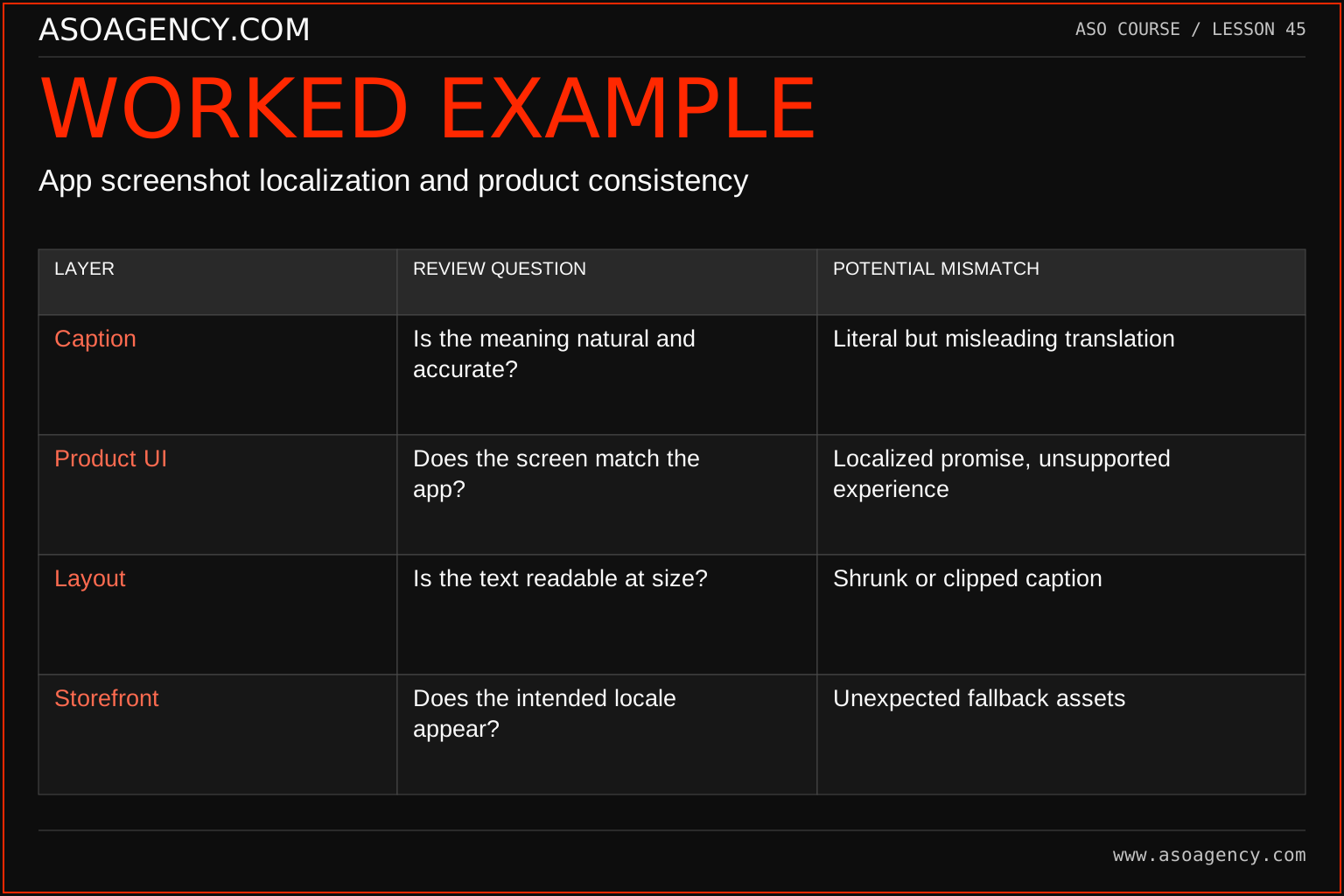
| Layer | Review question | Potential mismatch |
|---|---|---|
| Caption | Is the meaning natural and accurate? | Literal but misleading translation |
| Product UI | Does the screen match the app? | Localized promise, unsupported experience |
| Layout | Is the text readable at size? | Shrunk or clipped caption |
| Storefront | Does the intended locale appear? | Unexpected fallback assets |
The four layers can fail independently. A language reviewer may approve the words while the final layout clips a qualification. A designer may export the right locale while the store displays fallback assets. The release checklist must therefore follow the content from source text through artwork, console and product experience. Keep evidence of each relevant check with the asset version.
Build a handover someone can use
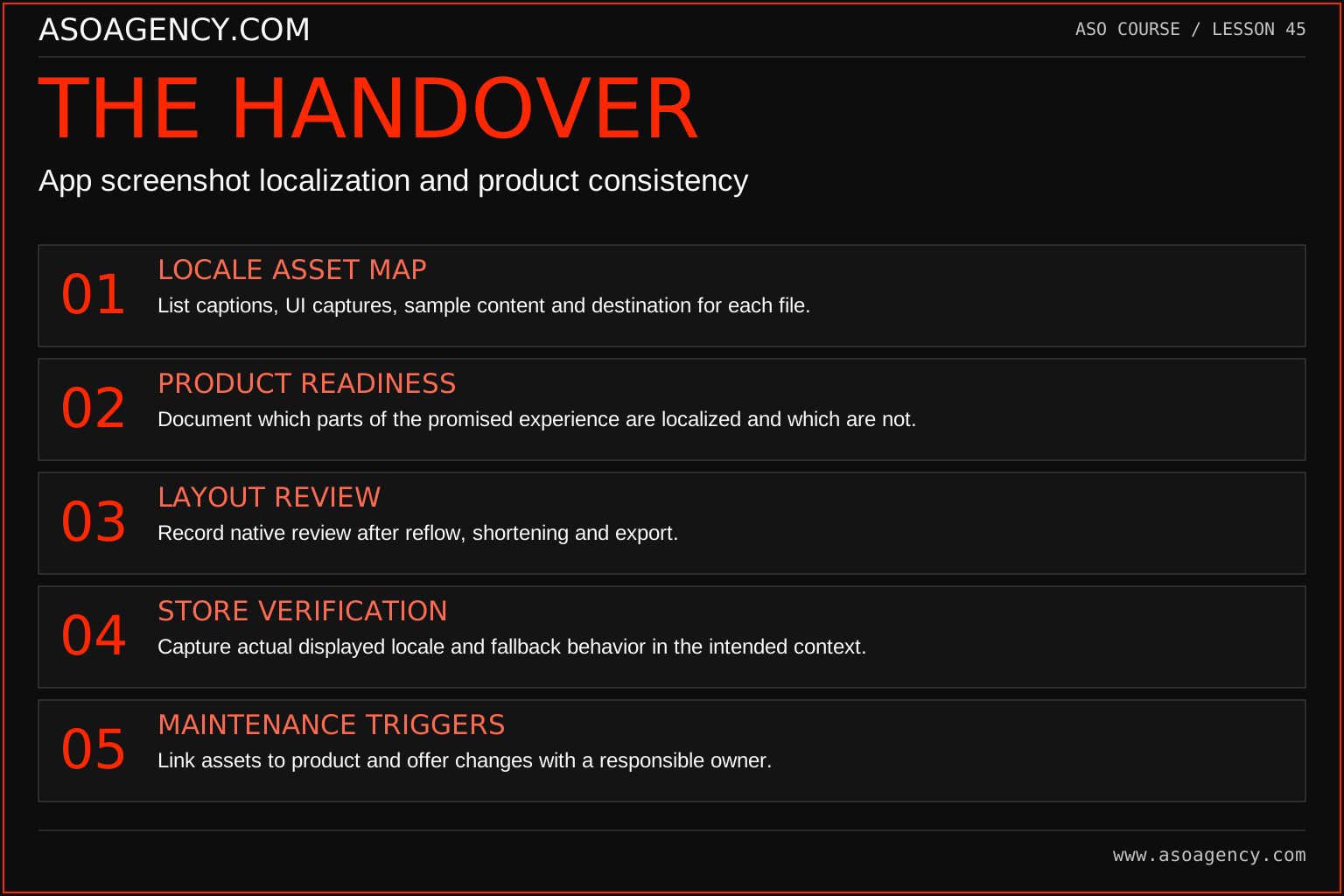
Locale asset map
List captions, UI captures, sample content and destination for each file.
Product readiness
Document which parts of the promised experience are localized and which are not.
Layout review
Record native review after reflow, shortening and export.
Store verification
Capture actual displayed locale and fallback behavior in the intended context.
Maintenance triggers
Link assets to product and offer changes with a responsible owner.
Your ASO assignment
Use your own app and evidence, or work through the teaching case. Keep your observations separate from assumptions and explain the reasoning behind your decisions.
- Perform a five-step localized journey review.
- Annotate two screenshot changes caused by language or context.
- List product issues that cannot be solved through listing copy alone.
Scenario challenge
A localized screenshot promises a local-language journal, but onboarding is entirely English. Identify the product and communication choices the team must resolve before treating the market as ready.
Assess your work
- The images match actual language and feature availability.
- The final rendered text has local-language approval.
- Product dependencies are separated from creative revisions.
Common mistakes to catch
- Claiming full localization from translated store screenshots alone.
- Shrinking text until it technically fits but cannot be read.
Knowledge check
The store page is localized but onboarding is not. Is that automatically acceptable?
Read the answer and reasoning
Assess the audience’s likely expectation and the real product support. Do not assume the mismatch is harmless. Qualify the promise where appropriate, fix the product dependency or reduce the launch scope. Record the decision and the user consequence explicitly.
Sources and further reading
Platform references reviewed 29 September 2026. These sources support platform capabilities and constraints; the teaching frameworks, assignments and illustrative cases are original course material.
- Apple — Localize app information — Localized metadata and language behavior.
- Google Play — Translate and localize your app — Localization workflow and language support.
Your ASO lesson notes
Use this space for your assignment, evidence and handover. Select Save to keep a draft in this browser, or download a copy to take with you.
Notes stay on this device and are not submitted to ASO Agency.
Complete your assignment with the App store screenshot checker.
Loading your progress…
Progress is saved only in this browser. It does not sync across devices. Mark a lesson complete after doing its exercise.