ASO course · lesson 28 of 60
Google Play graphics, screenshots and video assets
Create a device-aware asset package with technical and message-quality checks.
By Gabriel Machuret · Editorial methodology
Before you start: The approved Play proposition and access to current app screens.
Module 5: Google Play execution
Plan about 50 minutes for reading, practice and review
You will produce: A Play creative pack specification with export and editorial QA records.
Understand the decision
Specify the asset’s communication role
An icon identifies the app, a feature graphic frames a proposition and screenshots demonstrate the experience. Avoid using every surface as a duplicate poster. Write the purpose of each asset before production, including the expected viewing context. A beautiful graphic can still be ineffective if it does not help someone understand the app they are considering.
Validate against the intended surface
Use current Play preview-asset documentation for dimensions, formats and surface-specific requirements. The course screenshot checker covers basic phone image rules; it is not a complete submission validator. It cannot judge all device families, policy compliance, bit depth or whether the pictured workflow is current. Keep an export checklist for the actual target surface and verify it in the console.
Review the final render
Inspect images at realistic display sizes, including text length, contrast, cropping and localization. Confirm that the screenshot sequence matches the product and the chosen promise. For video, review the opening, poster and meaning without audio, then verify any platform-specific requirements. Do not let a technically accepted asset escape an editorial review simply because the upload succeeded.
Apply the method in practice
Design for the intended surface
Inventory the icon, feature graphic, screenshots and video needs for the supported device contexts. Read Google's current preview-asset requirements before export. A single attractive desktop design may fail when cropped, scaled or displayed on another surface. Give the designer the destination, safe-content considerations and actual product captures. Keep technical requirements separate from creative choices so a rejected file does not lead to unnecessary rewriting of the message.
Show proof that matches the released experience
Use current UI and realistic content that demonstrates the benefit. Remove personal information from captures and avoid depicting functionality the app does not offer. Review the first visible assets as a sequence: can a newcomer identify the task before reading detailed captions? For video, verify the destination and playback conditions, then make the central message understandable without relying solely on audio. Every visual claim should be traceable to a product behavior or an explicitly explained illustration.
Check the exported pack, not just the design file
Inspect dimensions, file formats, order, locale and legibility after export. Verify any video URL and its availability in the intended markets and viewing context. A designer's source file is not evidence that the uploaded file is correct. Store asset IDs, approvals and the exact uploaded versions. After publication, inspect the visible listing and relevant surfaces where practical. If the app UI changes, use the asset inventory to find which screenshots now need replacement.
Platform references for this work: Google Play — Add preview assets
Your step-by-step procedure
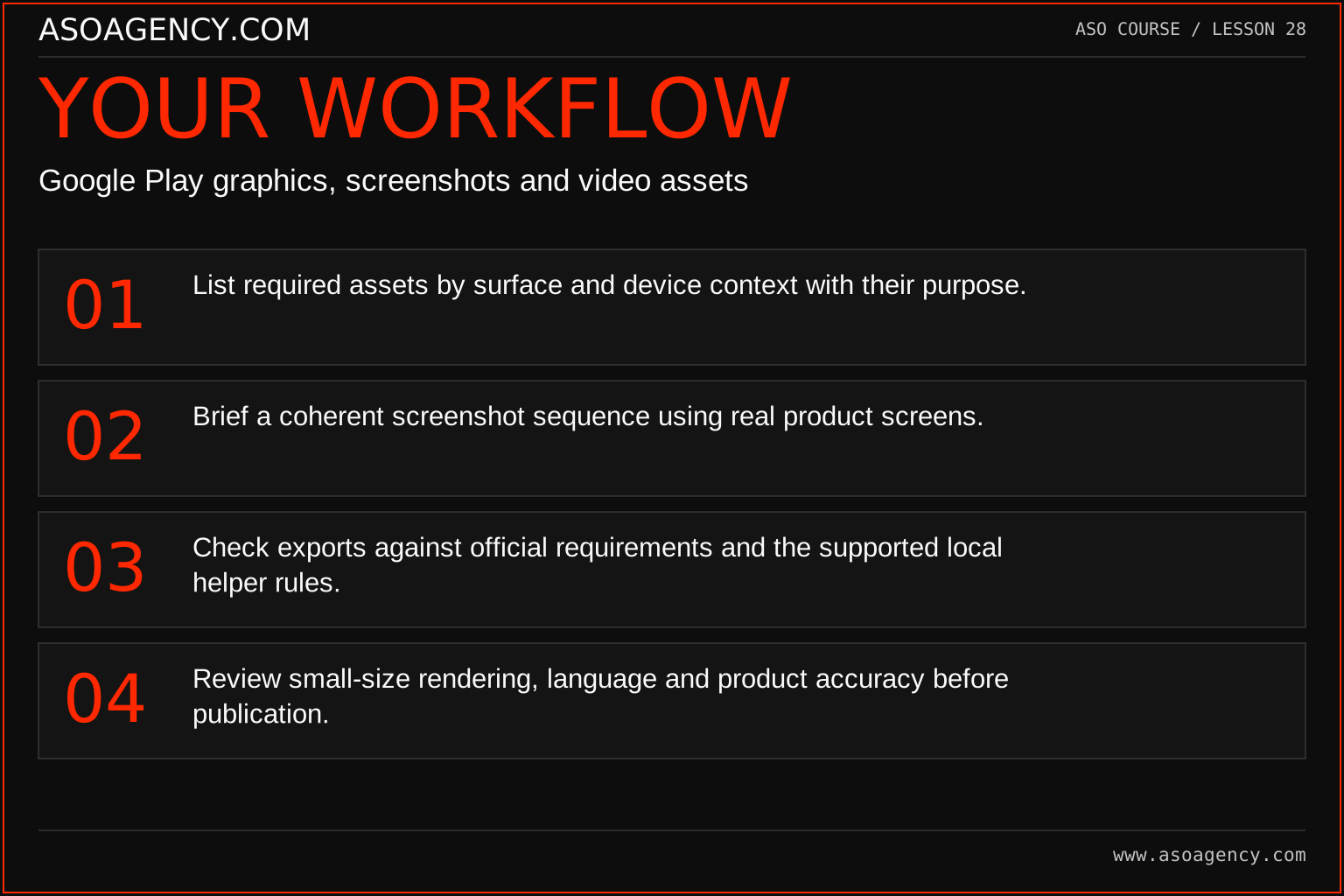
- List required assets by surface and device context with their purpose.
- Brief a coherent screenshot sequence using real product screens.
- Check exports against official requirements and the supported local helper rules.
- Review small-size rendering, language and product accuracy before publication.
Worked example and interpretation
Trail Notes and numerical research scenarios are fictional teaching examples. Platform limits, where shown, come from the linked official references.
Trail Notes initially exports tall text-heavy artwork for every surface. The revised brief gives the icon a recognizable journal identity, the graphic a simple proposition and the screenshots a capture-organize-revisit sequence. One image passes the dimension check but shows text too small to read at normal size. It returns to design despite being technically acceptable to the helper.
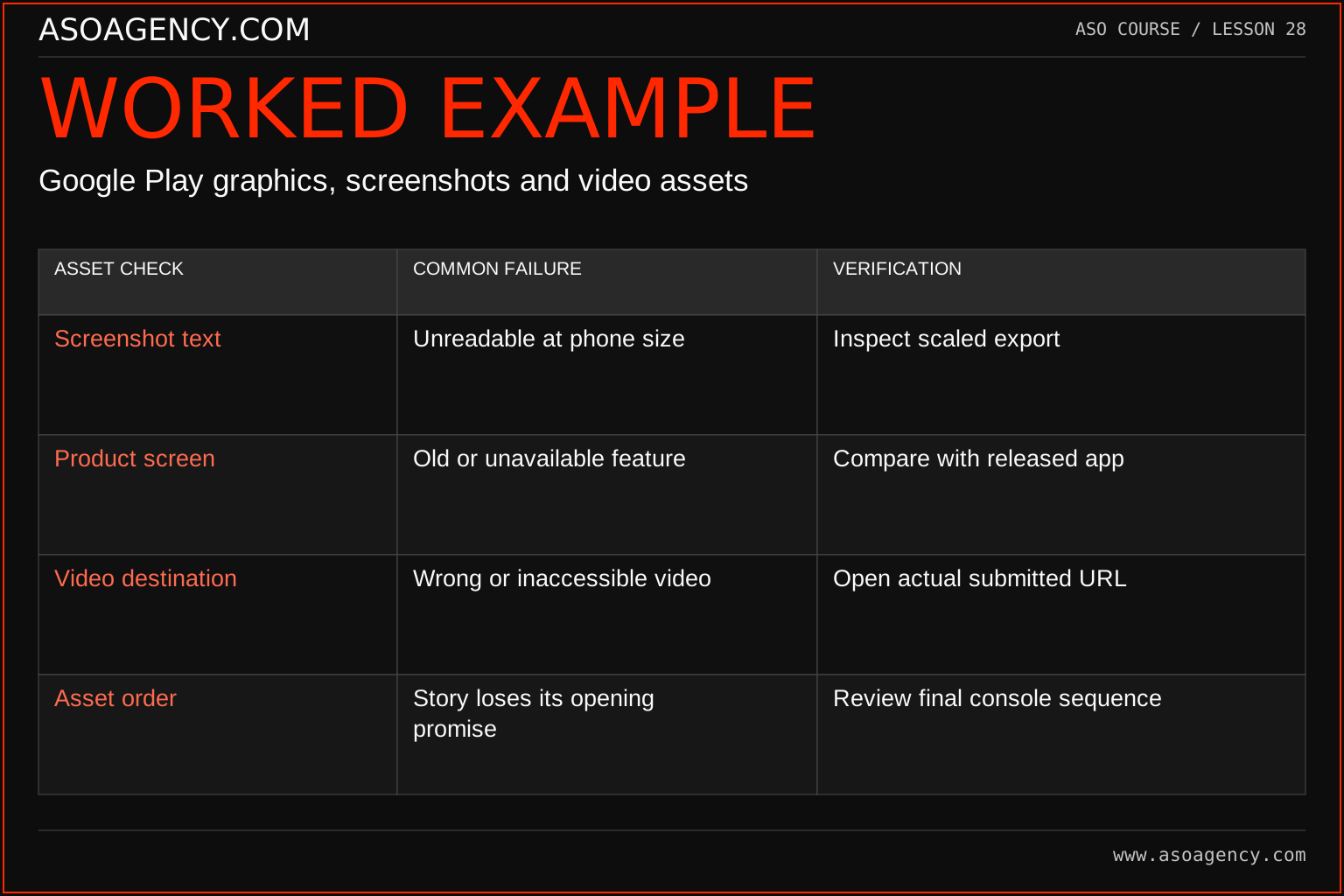
| Asset check | Common failure | Verification |
|---|---|---|
| Screenshot text | Unreadable at phone size | Inspect scaled export |
| Product screen | Old or unavailable feature | Compare with released app |
| Video destination | Wrong or inaccessible video | Open actual submitted URL |
| Asset order | Story loses its opening promise | Review final console sequence |
These checks do not prescribe one universal visual style. They establish whether the chosen style communicates the intended product accurately in its actual setting. A screenshot can be beautiful and still fail if the caption is too small or the depicted offer no longer exists. Treat asset QA as a separate production stage with its own owner, rather than assuming design approval covers the upload and live result.
Build a handover someone can use
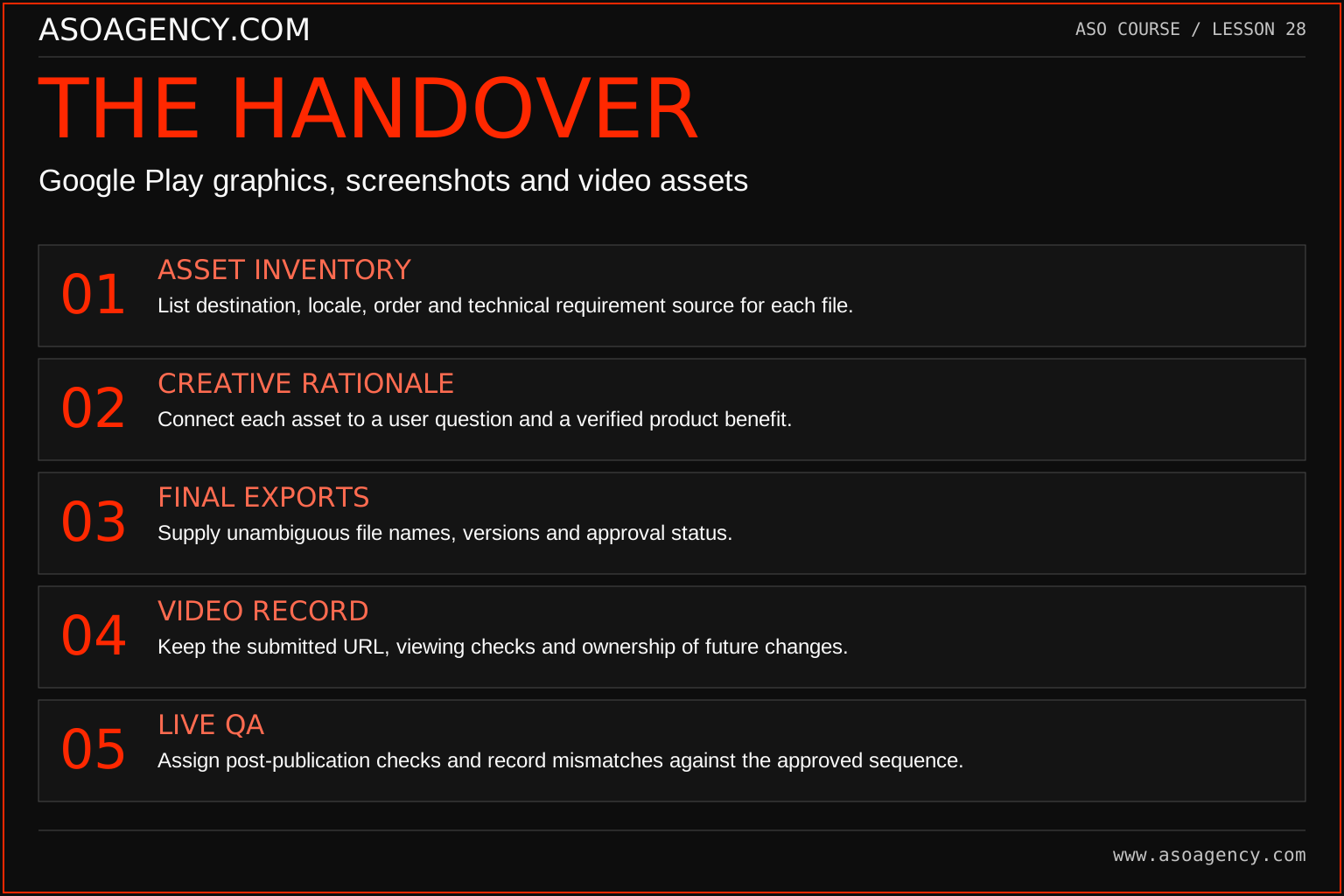
Asset inventory
List destination, locale, order and technical requirement source for each file.
Creative rationale
Connect each asset to a user question and a verified product benefit.
Final exports
Supply unambiguous file names, versions and approval status.
Video record
Keep the submitted URL, viewing checks and ownership of future changes.
Live QA
Assign post-publication checks and record mismatches against the approved sequence.
Your ASO assignment
Use your own app and evidence, or work through the teaching case. Keep your observations separate from assumptions and explain the reasoning behind your decisions.
- Create an asset inventory with requirement sources and owners.
- Write a five-frame screenshot storyboard.
- Perform a technical and comprehension review of one exported image.
Scenario challenge
A feature graphic is technically accepted but its central text disappears in a crop. Describe the design revision and the surface checks needed before considering the asset complete.
Assess your work
- Every asset has a distinct purpose.
- Technical checks match the intended device and surface.
- The final visuals remain readable and truthful at realistic sizes.
Common mistakes to catch
- Using the phone checker as proof that every Play asset is submission-ready.
- Creating attractive mockups of features not present in the released app.
Knowledge check
A screenshot has accepted dimensions but an obsolete screen. Can it be published?
Read the answer and reasoning
Correct the content before publication. Format acceptance does not establish product accuracy. Record the current screen version and have the product reviewer verify the revised image, then rerun the relevant export checks.
Sources and further reading
Platform references reviewed 29 September 2026. These sources support platform capabilities and constraints; the teaching frameworks, assignments and illustrative cases are original course material.
- Google Play — Add preview assets — Icons, feature graphics, screenshots and video requirements.
Your ASO lesson notes
Use this space for your assignment, evidence and handover. Select Save to keep a draft in this browser, or download a copy to take with you.
Notes stay on this device and are not submitted to ASO Agency.
Complete your assignment with the App store screenshot checker.
Loading your progress…
Progress is saved only in this browser. It does not sync across devices. Mark a lesson complete after doing its exercise.