ASO course · lesson 21 of 60
iOS keyword field optimization: selection and QA
Construct a reviewed keyword field while understanding counting and overlap limitations.
By Gabriel Machuret · Editorial methodology
Before you start: Approved name/subtitle drafts and the eligible keyword portfolio.
Module 4: Apple App Store execution
Plan about 50 minutes for reading, practice and review
You will produce: A final keyword-field draft with source candidates, counts and allocation rationale.
Understand the decision
Treat the field as an allocation decision
Use the researched shortlist rather than dumping every brainstorm into the field. Prioritize supported intents, retain locale context and document what each candidate adds. A hidden field does not make irrelevant or misleading targeting strategically sound. Keep brand-related uncertainties out of the approved pack until the appropriate reviewer resolves them.
Understand what the helper actually does
The course tool removes exact duplicate entries and flags overlap with the supplied name and subtitle. It preserves phrases and does not estimate demand, legal availability or ranking combinations. Apple’s reference describes a 100-byte keyword allowance while its search guidance uses characters; the tool therefore shows both and applies a conservative byte warning. The console remains the final submission check.
Review the cleaned output manually
Normalization can conceal editorial decisions if treated as magic. Read every remaining entry, inspect accented characters and confirm that trimming or deduplication did not change the intended language. Keep the original candidate list and the approved final field. This lets a future analyst distinguish deliberate exclusions from accidental loss during cleanup or copying.
Apply the method in practice
Start from an approved visible listing
Use the final name and subtitle, target locale and researched candidate list as inputs. Do not optimize a keyword field against a title that is still changing. Check each candidate for supported meaning, duplication and provenance. Apple's search guidance says to avoid repeating words already in the name or subtitle and to separate keywords with commas without extra separator spaces. Keep phrase meaning where needed; mechanically removing every space is not the same as removing spaces after commas. Avoid irrelevant or competing app names as shortcuts to attention.
Handle the character and byte distinction explicitly
Apple's search overview describes a 100-character keyword allowance, while its App Store Connect platform reference specifies up to 100 bytes. For production, inspect the stricter byte budget and validate the exact localized string in the console. ASCII letters and commas use one UTF-8 byte each. A precomposed é uses two bytes even though it is one Unicode code point; 日記 uses six bytes for two code points. A visible symbol can involve multiple code points. Keep the actual string and its encoding count rather than assuming a visual character count proves acceptance.
Document inclusions, exclusions and unfinished research
A professional handover preserves the original library, approved visible fields, proposed keyword string and rationale. Explain why a relevant word was omitted because it is already covered, why an attractive term was rejected for wrong intent and why another remains on hold. Record the locale, review date and source versions. If the field is a partial teaching fragment, keep that clear in the lesson record instead of treating unused space as an error. Relevance matters more than filling the field at all costs.
Platform references for this work: Apple — Platform version information · Apple — App Store search
Your step-by-step procedure
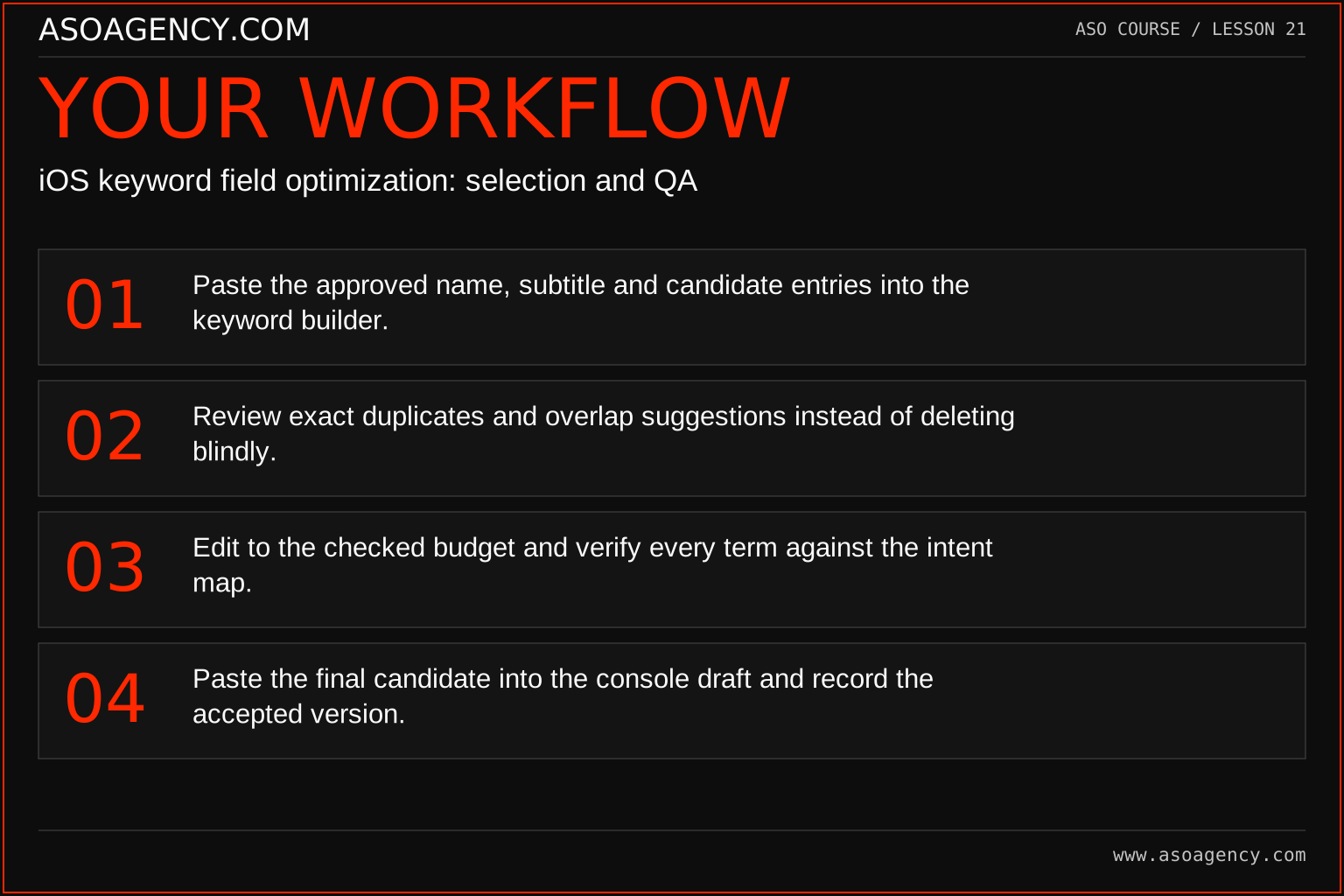
- Paste the approved name, subtitle and candidate entries into the keyword builder.
- Review exact duplicates and overlap suggestions instead of deleting blindly.
- Edit to the checked budget and verify every term against the intent map.
- Paste the final candidate into the console draft and record the accepted version.
Worked example and interpretation
Trail Notes and numerical research scenarios are fictional teaching examples. Platform limits, where shown, come from the linked official references.
With a name containing “Trail,” the raw list “hike,trail,walking,hike,outdoors” becomes “hike,trail,walking,outdoors.” The duplicate “hike” is removed and “trail” is flagged for review. That output is not an optimized strategy by itself: the team must still judge relevance, overlap and allocation. With non-ASCII text, byte count may be larger than the visible character count, so apparent visual length is insufficient.
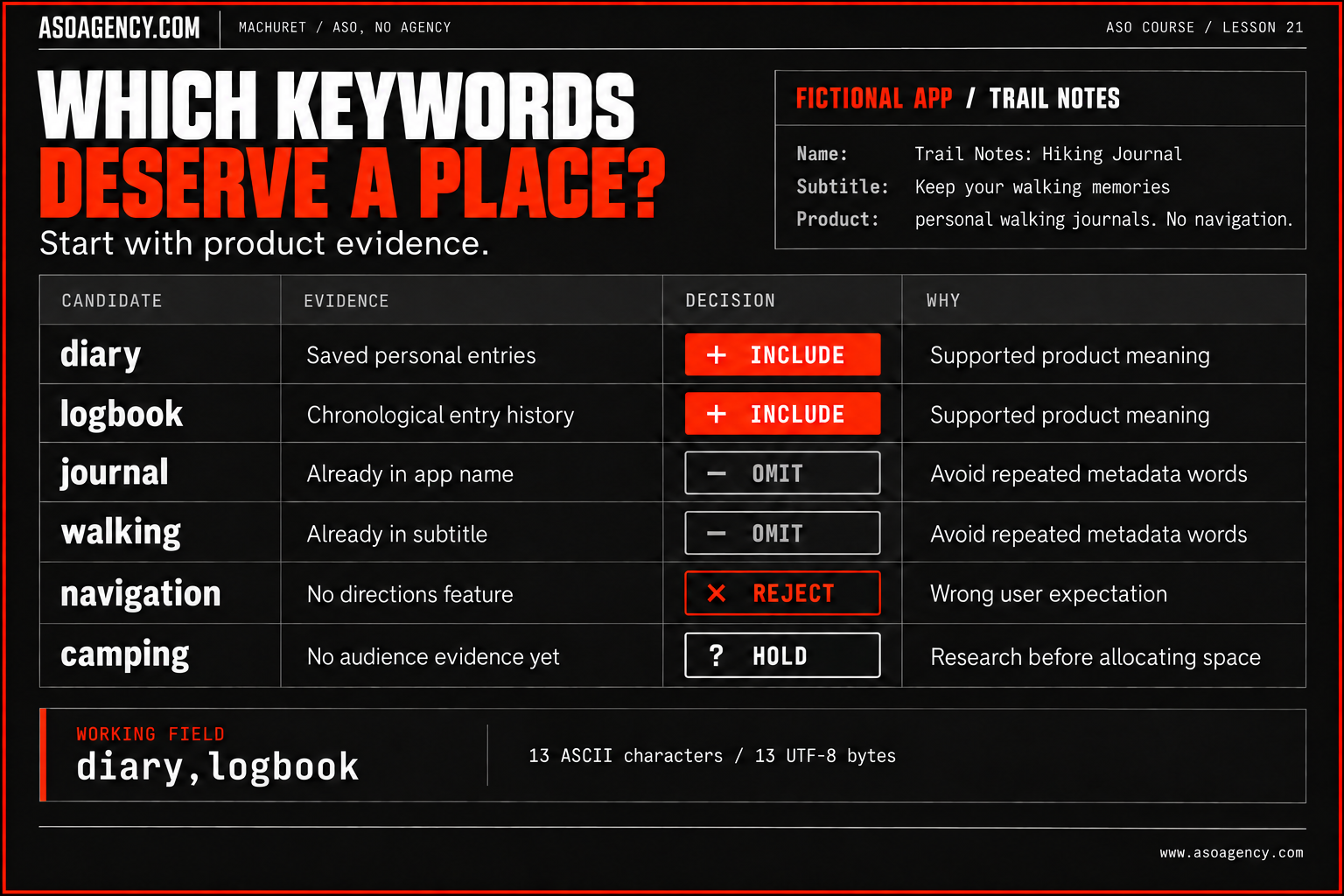
| Candidate | Decision | Reason |
|---|---|---|
| Diary | Include | Supported personal-entry meaning |
| Logbook | Include | Supported chronological record |
| Journal | Omit | Already in the approved name |
| Walking | Omit | Already in the subtitle |
| Navigation | Reject | No directions capability |
| Camping | Hold | Audience evidence missing |
The teaching fragment diary,logbook is 13 ASCII characters and 13 UTF-8 bytes. It is a worked formatting example, not a complete launch recommendation. The original candidate list explains how the fragment was reached: two supported additions, two redundancies, one mismatch and one unresolved idea. Keep these decisions with the string. Without them, a future editor may reinsert navigation or remove a useful word because they cannot reconstruct the reasoning.
Build a handover someone can use
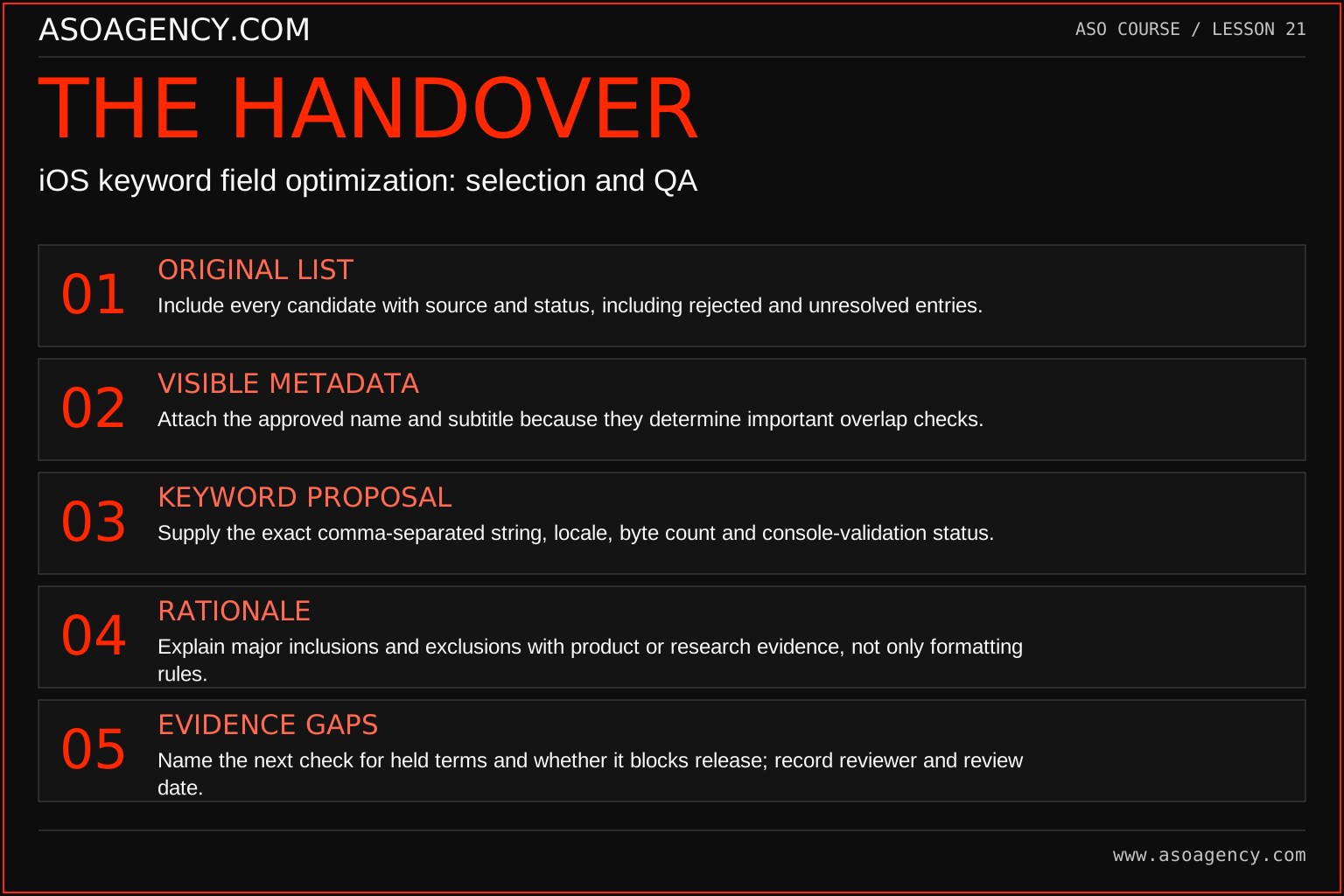
Original list
Include every candidate with source and status, including rejected and unresolved entries.
Visible metadata
Attach the approved name and subtitle because they determine important overlap checks.
Keyword proposal
Supply the exact comma-separated string, locale, byte count and console-validation status.
Rationale
Explain major inclusions and exclusions with product or research evidence, not only formatting rules.
Evidence gaps
Name the next check for held terms and whether it blocks release; record reviewer and review date.
Detailed keyword handover workshop
1. Preserve the original candidates and their provenance
Create a research sheet before deleting or rearranging candidates. Give each row a stable identifier. Record the exact term, where it came from, when it was collected, its language or market context, its likely user intent and the supporting product capability. Keep a separate column for your interpretation. A quotation from a customer, a vendor estimate and your own brainstorm are different kinds of evidence.
For example, row K-006 might contain camping, source analyst brainstorm, locale en-AU, intent record a camping experience, and status unvalidated. That is useful research bookkeeping. It must not be rewritten as “customers search camping” unless actual evidence supports that statement.
Preserve excluded rows. A future colleague may suggest navigation again after seeing an attractive demand score. The existing record should explain that the current product cannot provide directions and identify which product owner confirmed that limitation. This saves repeated research and makes the decision revisable if the feature later ships.
Acceptance check: Ask a colleague to select any three candidates and explain where they came from without asking you. If they cannot, the provenance is incomplete.
2. Freeze the exact name and subtitle context
Record the exact strings, locale, app version, draft identifier and approval state used for the keyword decision. Do not write “use the latest title”; that instruction becomes ambiguous as soon as another draft exists.
In this example the name is Trail Notes: Hiking Journal and the subtitle is Keep your walking memories. They are example copy, with approval pending. Apple’s search guidance says not to repeat words already present in the name, subtitle or category. That makes the overlap review dependent on this exact metadata context, not on an abstract app identity.
Suppose the subtitle later changes to remove “walking.” The keyword review may need to be reopened. The correct procedure is to version the new metadata, compare the affected decisions and rerun the allocation review—not publish an old keyword pack beside a new subtitle silently.
Acceptance check: Can the publisher identify a single approved name/subtitle/keyword combination? If several combinations are possible, the pack is not ready.
3. Save the field and the validation evidence
The teaching fragment is diary,logbook: 13 ASCII characters and 13 UTF-8 bytes. The comma counts. This fragment demonstrates documentation; it is not a completed allocation recommendation. There are unresolved candidates and no claim that two terms exhaust the opportunity.
Save the exact proposed string as plain text. Record how it was counted, the checker version or review date and the outcome of final console validation. Keep “local check passed,” “owner approved” and “accepted by the console” as separate states. They answer different questions.
Apple’s search page describes a 100-character allowance, while the platform-version reference describes 100 bytes. The examples in the graphic show why the distinction matters: cafe uses four bytes, precomposed café uses five, and 日記 uses six. These are encoding demonstrations, not recommended keywords. Record both counts, flag a field exceeding 100 UTF-8 bytes conservatively and check the actual console rather than pretending the documentation wording is identical.
Acceptance check: Can someone copy the saved string and reproduce the count? Does the record clearly distinguish draft validation from permission to publish?
4. Make the reasoning specific enough to challenge
Use a decision log rather than a column containing only “good” or “bad.” A useful row has candidate, decision, reason, evidence reference, owner and a condition for reconsideration.
Product capability supports relevance; it does not establish search volume. The “include” decisions remain provisional until the broader research and approval work are complete. Evidence references such as screens/entry-history-v3.png or research row R-014 should point to real artifacts in a real project. Do not manufacture convincing-looking evidence IDs to hide missing work.
Acceptance check: A reviewer should be able to disagree with the reasoning and identify what new evidence could change it.
5. Record scope, responsibility and dates separately
iOS / en-AU describes the intended platform and locale context for the example. It does not prove that every Australian visitor sees this exact localization; actual display and fallback behavior must be checked for the relevant store context. Record the product version and surface as well.
Name who researches, who confirms product truth, who approves the pack, who publishes and who verifies the visible result. In a small team one person may perform several roles, but the responsibilities should still be distinguishable.
Keep research date, approval date, submission date and actual publication date separate. Performance analysis needs the date the change became available, not merely the date the spreadsheet was created. If publication timing is uncertain, record an observed interval rather than inventing a precise timestamp.
Acceptance check: The handover should answer “Who can resolve this question?” and “Who can authorize publication?” without relying on unwritten assumptions.
6. Turn evidence gaps into assigned work
An open question needs a next action and a decision consequence. “More research needed” is insufficient. For camping, write: inspect relevant storefront results for the specified context, collect authentic user language, verify that the app serves the intended job, and bring the findings back to the shortlist review. Assign the task to the ASO lead with a review date.
Define the release gate: the shortlist has been reviewed, the product owner has approved truthful copy, the exact field has passed the applicable checks, and the publisher has the coordinated pack. If a weak candidate remains unresolved, exclude it from the approved version and document the decision rather than filling space by default.
Your ASO assignment
Use your own app and evidence, or work through the teaching case. Keep your observations separate from assumptions and explain the reasoning behind your decisions.
- Build a field from your approved portfolio and save the before/after versions.
- Explain three inclusion or exclusion decisions.
- Test an accented word and record both counts.
Scenario challenge
Calculate UTF-8 bytes for cafe, café and 日記: 4, 5 and 6 respectively. Explain why the last two cannot be validated by assuming one byte per visible character. Then audit diary,logbook against the approved name and subtitle.
Assess your work
- The final entries describe supported use cases.
- Byte and character differences are understood and console validation is planned.
- Tool suggestions remain distinguishable from researched strategic decisions.
Common mistakes to catch
- Calling automatic duplicate removal a search-demand optimization.
- Assuming a public competitor listing exposes its hidden keyword field.
Knowledge check
The helper says the field fits. What remains to be checked?
Read the answer and reasoning
Relevance, language meaning, unresolved brand concerns, consistency with the product and acceptance in the current console. The helper checks a limited set of text properties; it cannot establish business value or guarantee approval and ranking behavior.
Sources and further reading
Platform references reviewed 29 September 2026. These sources support platform capabilities and constraints; the teaching frameworks, assignments and illustrative cases are original course material.
- Apple — Platform version information — Field definitions and submission constraints, including keyword bytes.
- Apple — App Store search — Search presentation, relevant keywords and metadata guidance.
Your ASO lesson notes
Use this space for your assignment, evidence and handover. Select Save to keep a draft in this browser, or download a copy to take with you.
Notes stay on this device and are not submitted to ASO Agency.
Complete your assignment with the App Store keyword-field builder.
Loading your progress…
Progress is saved only in this browser. It does not sync across devices. Mark a lesson complete after doing its exercise.